View and open assignments
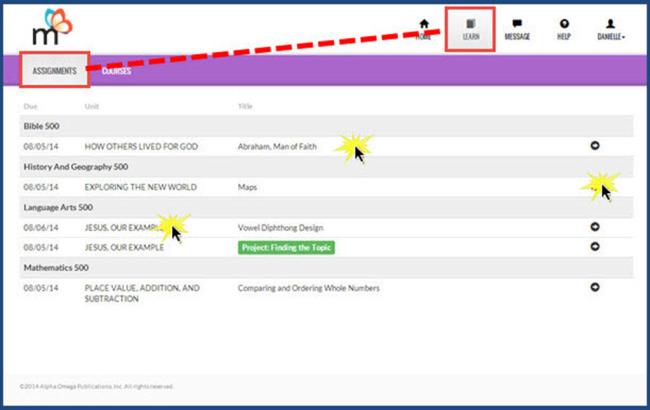
When you clicked the Learn button, you see another toolbar with two tools: Assignments and Courses. If you clicked Assignments, you see the Assignments page. Your Assignments page shows the same list of assignments you just saw on the Schoolwork page and on the Calendar. On this page, you see the name of the subject (course), the date the assignment is due, the unit the assignment is in, the assignment title and a small forward arrow on the far right-hand side of the row.
- Click any where on the row with the assignment title to go directly into the assignment.
 ©2018 Monarch™ Alpha Omega® Publications, a division of Glynlyon, Inc. All rights reserved.