Change your password
You can change your Monarch password. Your new password must have:
- At least six (6) characters with no spaces.
- At least one uppercase letter (example: D) and one lowercase letter (example: b).
- At least one number (example:8).
Tip: If you forget your password and cannot log in, your Teacher can give you a new password.
To change your password:
- On the main nav bar, click the drop-down arrow next to your name.
The Change Password page appears.
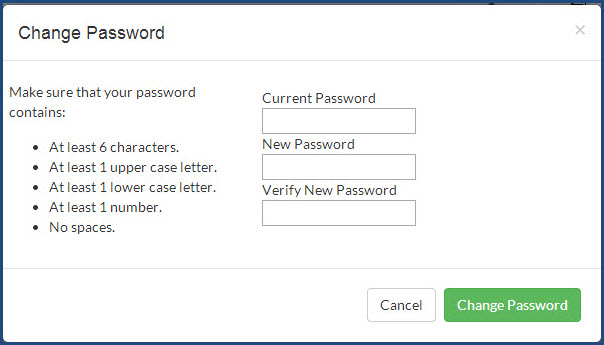
- In the Current Password field, enter your current password. For security and privacy, you don't see the password characters; you just see a series of dots.
- In the New Password field, enter a new password and then in the Verify New Password field, enter it again. As mentioned in the previous step, your password displays as a series of dots.
- Click Change Password.
 ©2018 Monarch™ Alpha Omega® Publications, a division of Glynlyon, Inc. All rights reserved.